To instantly filter for a dimension value as you explore correlations or append a dimension value to an existing filter using logical AND filter rules, just click a dimension value. The filter value appears in the Filter bar, instantly applying a logical AND filter rule to the displayed data.
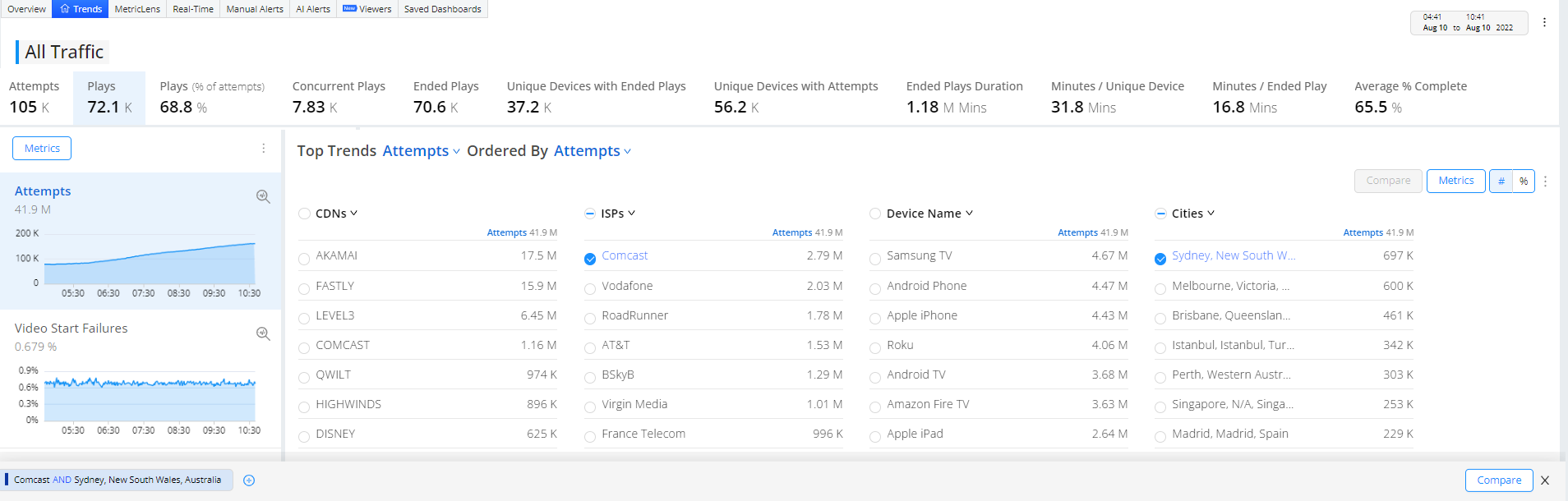
- Instantly apply logical AND filter rules by clicking a dimension value (in this example, Comcast and Houston, Texas)


Note: The dimension value and + sign are used separately. Use the dimension value for one-click instant filtering using logical AND filter rules. Also, use the + sign to build combinatorial filters, using logical OR and logical AND filter rules.
You can click multiple highlighted dimension values to build complex AND filter rules, as you analyze trending data to discover the most impacted root cause group.
Saved filters can also be used in Pulse 4 for MetricLens, diagnostics, and alerting.
Note: When filtering on a single CDN, multiple CDNs may appear as dimension values if video traffic was switched across CDNs. For more details on CDN switches, see the Metric Dictionary.

Click the kebab icon to Share and Export the dashboard for re-use and collaboration. You can also make this page your default home page.
