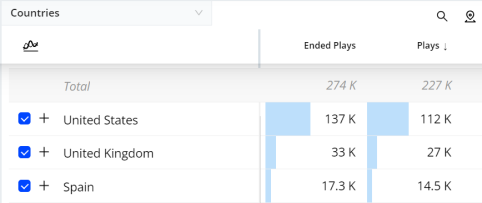
To create a filter for a known combination of dimension values (building the filter options in the panel before applying settings), click the + symbol next to the dimension values to add the values to the combinatorial filter box. Clicking the + symbol next to additional dimension values creates complex filters based on logic OR and AND filter rules.

-
Logical OR filter rules apply to dimension values from dimensions that already have a value in the current filter (same dimension column).
-
Logical AND filter rules apply to dimension values from a new dimension, not already specified in the current filter (new dimension column)
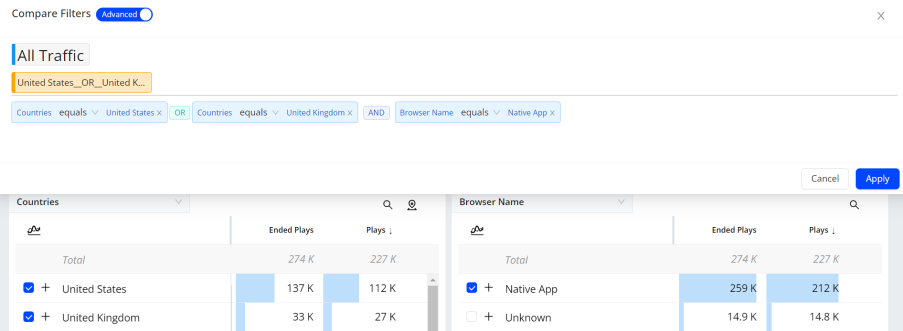
Note: The highlighted dimension value and + sign are used separately. The highlighted dimension value is used for one-click instant filtering using logic AND, while the + sign is used combinatorial instant filtering using logical OR and logical AND.