To help your quickly respond to issues with ads and ad creatives, Ads can be configured to embed a link in the ad Id and ad creative Id data on the Ads page, so you can quickly jump to line item for the ad Id or the ad creative Id detail in your selected Ad Manager.
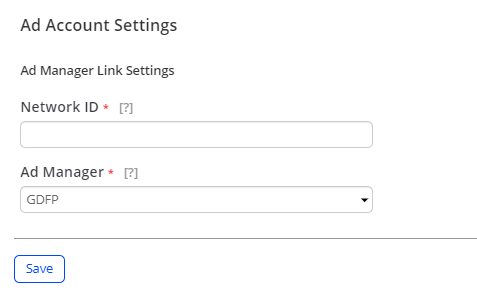
To configure the Ad Manager link, in the Settings menu select Ad Account Settings. In the Account Settings page, input the network ID and select the Ad Manager. Click Save to apply the settings.
The Ad Manager link appears on the Ads page for the ad Id and ad creative Id dimensions.
After clicking the Ad Manager link, you are directed to the Ad Manager page with the line item for the ad Id or the ad creative Id detail.